
Neat! Walkthrough
A spoiler-aware path through Molly’s eight organizing jobs, with pacing notes and links to deeper pages.
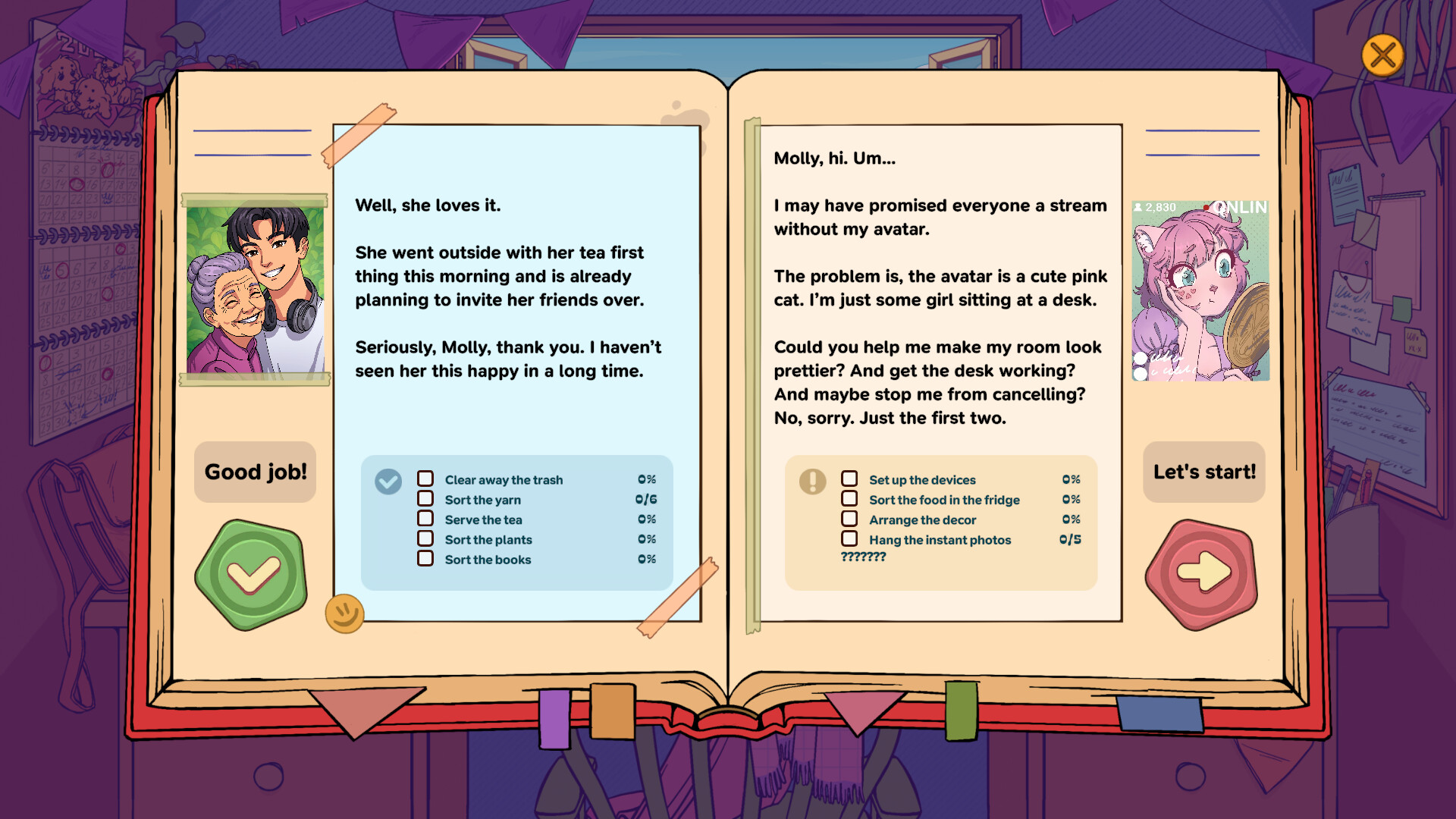
This Neat! walkthrough guides you through all eight hand-crafted locations as Molly, professional organizer and startup founder. It is spoiler-aware: you will see the roster of spaces and high-level goals, but not every object beat, letter punchline, or final-room revelation. Use it when you want structure; open Locations for theme deep dives, Tips for organizing craft, and Achievements when you are ready to mop up Steam’s 24 trophies.
Remember: there is no single correct layout. Finish a space when it feels settled for that client. A full story run is about 3.5–4 hours. Steam Cloud keeps progress; Deck Verified play is supported.
How to use this walkthrough
- Play a location at your pace.
- Skim the matching section here if you feel stuck on what to prioritize.
- Read uncovered notes and play tapes before you declare the room done.
- Cross-check Locations if you want tone and motif notes without a full re-play.
- After the credits path, sweep Achievements.
If you are brand new, start with Getting Started and Controls first.
Location 1 — Grandmother’s garden
Molly’s tidying service takes its first steps outdoors among plants, tools, and lived-in garden clutter. Treat this as your onboarding space: learn grab, rotate, place, and the habit of checking under and behind things.
Focus
- Establish zones: planting areas, seating, tool storage, sentimental keepsakes.
- Do not “sterilize” the garden into a showroom; leave warmth.
- Read everything you uncover—early letters set Molly’s professional voice.
Done when: paths feel walkable, tools have homes, and the garden still feels like someone beloved tends it. Then move on.
Location 2 — Neighborhood library
A quiet chamber music evening somehow became a rock concert mess. Institutional order (shelves, seating, community artifacts) collides with party fallout.
Focus
- Separate library function from event debris.
- Restore reading and music identity without erasing that something wild happened.
- Watch for notes that explain how the night escalated.
Done when: the space could host either a recital or a careful community night again—and you understand why it fell apart. Details live on Locations.
Location 3 — VTuber streaming room
A creator’s desk, tech, merch, and pre-stream chaos before a first live show. This room is denser and more vertical: monitors, cables, collectibles, branding.
Focus
- Build a stream-ready desk triangle: camera logic, reachable controls, clean backdrop vibes.
- Group merch and personal items so the room still feels like a person, not a store aisle.
- Listen for story about nerves, audience, and identity.
Done when: she could go live without tripping over a pile—and you have read the anxiety between the RGB lights. Camera tips for dense desks are in Controls.
Location 4 — “Haunted” living room
The owner swears the living room is haunted. Whether you believe in ghosts or not, the clutter tells a story about fear, memory, and what people keep close when something feels wrong.
Focus
- Slow down. Spooky framing is easy to rush past.
- Inspect odd placements before “fixing” them—misplaced objects can be narrative breadcrumbs.
- Balance cozy living-room function with the mystery the client describes.
Done when: the room feels safe enough to sit in, and you have collected the environmental clues the tapes and notes provide. Avoid major plot spoilers for later spaces by not over-sharing theories in public chats if you care about friends’ first runs.
Location 5 — Hermit / indoors-only room
Someone has arranged a life so they have everything they need without stepping outside. Agoraphobia-adjacent themes, stockpiles, comfort nests, and logistics of never leaving.
Focus
- Organize for accessibility inside the room: food, hygiene, entertainment, emergency comfort.
- Resist the urge to “solve” the person by forcing an outdoor aesthetic.
- Read carefully—this space is empathy training as much as tidying.
Done when: daily loops inside the room are clear, and the layout respects why going outside feels impossible. Tips has notes on organizing with compassion.
Location 6 — Single mom’s kitchen
Everyday life under pressure: meals, kids’ artifacts, time scarcity, love expressed as snacks and schedules.
Focus
- Prioritize workflow: prep, cook, clean, store.
- Keep kid-related items reachable where the story suggests they belong.
- Look for notes that show the emotional labor behind the mess.
Done when: dinner could happen tonight without a scavenger hunt, and the kitchen still feels like a family’s heart. Food-adjacent achievement energy (think Chef’s Kiss) is discussed carefully on Achievements without inventing fake titles.
Location 7 — Japanese konbini (night shift)
A convenience store after hours—or during the lonely stretch of night shift. Retail logic meets human fatigue: stock, shelves, backroom odds and ends, customer residue.
Focus
- Think like a closer: restock, face shelves, clear hazards, reset stations.
- Separate employee personal items from store inventory.
- Absorb the night-shift mood; ambience matters here.
Done when: the konbini could open for the next rush, and you have read the quiet story of who works this shift. Retail density rewards the zone method in Tips.
Location 8 — The deeply personal final space
The last job is the most personal. This walkthrough will not spoil whose space it is or what the objects reveal. Play it after the previous seven so motifs land.
Focus
- Trust skills you learned: zone clearing, reading every scrap, organizing by feel.
- Do not speed-run. The finale is short in clock time but dense in meaning.
- Sit with the ending before you jump to achievement cleanup.
Done when: you have finished Molly’s arc for this campaign and the room feels honest. Then open Achievements and the Review if you want to reflect.
Mid-game pacing plan
A comfortable schedule for work nights:
| Session | Suggested spaces |
|---|---|
| 1 | Garden + library |
| 2 | VTuber + haunted living room |
| 3 | Hermit room + kitchen |
| 4 | Konbini + finale |
Or play one location per evening if you want maximum story absorption. Joda-style playthroughs (see the embedded video) can help if you prefer watching cadence before mirroring it—without copying another player’s exact shelves.
Achievement-aware playing (light touch)
You do not need a checklist on a first run, but:
- Interact widely with stationery, food, and “go outside later” themed objects when you see them—confirmed names include Stationery Addict, Room Reboot, Touch Grass… Later, and Chef’s Kiss.
- Explore thoroughly; many of the other achievements track progression, exploration, or misc discovery.
- After the story, use Achievements for a clean 24/24 plan.
After you finish
- Revisit favorite rooms with new eyes.
- Compare your layouts with friends—disagreement is the point.
- Check Launch notes and Updates for patches.
- Keep official links handy via Wiki / links.
Neat! is short, but a careful walkthrough is still about attention. Move room by room, listen to what the clutter confesses, and only then call the job neat.
Frequently Asked Questions
Quick answers about Neat!, Molly, and this fan wiki.
Does this walkthrough spoil the ending?
It names all eight location types and gives non-spoiler priorities. It deliberately avoids detailing the final space’s personal reveal.
Is there a correct order for the eight locations?
Play Molly’s jobs in the game’s presented order. This page follows that progression from garden to finale.
What if my layout looks different from a YouTube run?
That is fine. Neat! has no single correct layout—organize by feel and client story.
Where do I get more detail on each space’s themes?
Use the Locations guide for deep dives, and Tips for organizing strategies that apply across rooms.
When should I hunt achievements?
Enjoy the story first, interact thoroughly as you go, then follow the Achievements guide for a dedicated 100% sweep.